ForgeGUI AI Features: A 2026 Honest Review for Roblox
Forge GUI helps Roblox creators generate thumbnails, GUI concepts, avatar designs, and documented textured 3D drafts. See where it saves time and where specialist tools still take over.
Maggie Mann is a hands-on Roblox developer with more than 10 years of experience shipping gameplay, UI, and creator-facing production workflows.
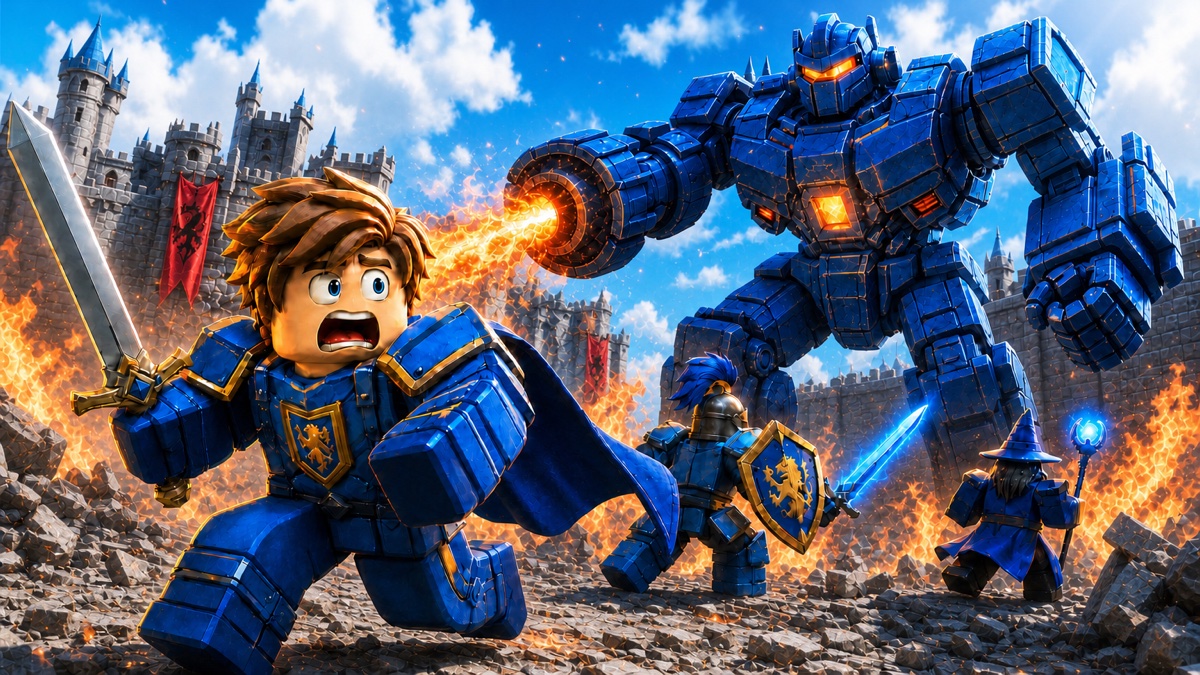
Most Roblox projects do not lose momentum because the idea is weak. They slow down while the creator waits for the first useful visual. A focused Roblox Thumbnail Maker can turn the game idea into something worth testing while an interface, character, or prop is still being discussed.
Forge GUI is designed for that gap between an idea and a reviewable direction. It combines several early visual tasks in one browser workspace, then lets you refine the result instead of beginning again after every imperfect generation.
That convenience has a boundary. Forge GUI can make a decision visible, but it does not replace the production work required to ship a reliable game.
Review scope: The assessment reflects public product pages, documented workflows, local product behavior, and pricing reviewed on August 31, 2026. Model output varies by prompt and reference. Production 3D is now available in Forge GUI, so confirm your active plan and credit balance before starting a paid generation task.
Key Takeaways
- The thumbnail workflow is the fastest path from a rough game idea to marketing art you can evaluate at feed size.
- GUI and avatar outputs are visual specifications, not working interfaces or rigged characters.
- The current 3D flow creates a focused reference before reconstruction and returns a textured GLB, but cleanup may still be necessary.
- Follow-up editing is more useful than one-shot generation because it lets you fix one problem without discarding a strong direction.
- Roblox Studio remains the place where the experience is built, scripted, tested, and published.
What Forge GUI Actually Does
The main workspace accepts a written prompt and optional reference images. You choose an asset type, platform, style, and supported image model, then generate and continue the conversation with focused changes.
Forge GUI was founded in April 2026. On September 1, 2026, its public homepage displayed 35,702 creators, 19,146 generated game assets, and more than 31 graphic styles. Those are first-party site counters rather than independently audited usage figures, so they are best read as a dated product snapshot.
The current selector exposes ten image models: GPT Image 2, Seedream V5 Pro, Nano Banana Pro, Nano Banana 2, Qwen Image 3.0, Qwen Image 3.0 Pro, Grok Imagine V2, Krea V2 Turbo, Nano Banana 2 Lite, and Krea V2 Large. Model choice matters because a cinematic thumbnail, a text-heavy interface concept, and a tightly referenced character do not reward exactly the same strengths.
The Forge GUI AI features cover four distinct deliverables:
- 16:9 game thumbnails
- GUI concept images
- Full-body avatar concepts
- Textured 3D drafts through a prompt-to-reference workflow
They share one interface, but they do not share one production role. A thumbnail may be ready for a marketing test. A GUI image is a design reference. An avatar image communicates character direction. A GLB is a technical handoff that still needs inspection.
1. Thumbnail Generation Is the Clearest Win
A thumbnail must explain the game in one glance, stay readable on a phone, and compete with a crowded feed. Forge GUI gives this task a focused 16:9 workflow instead of treating it like a generic image request.
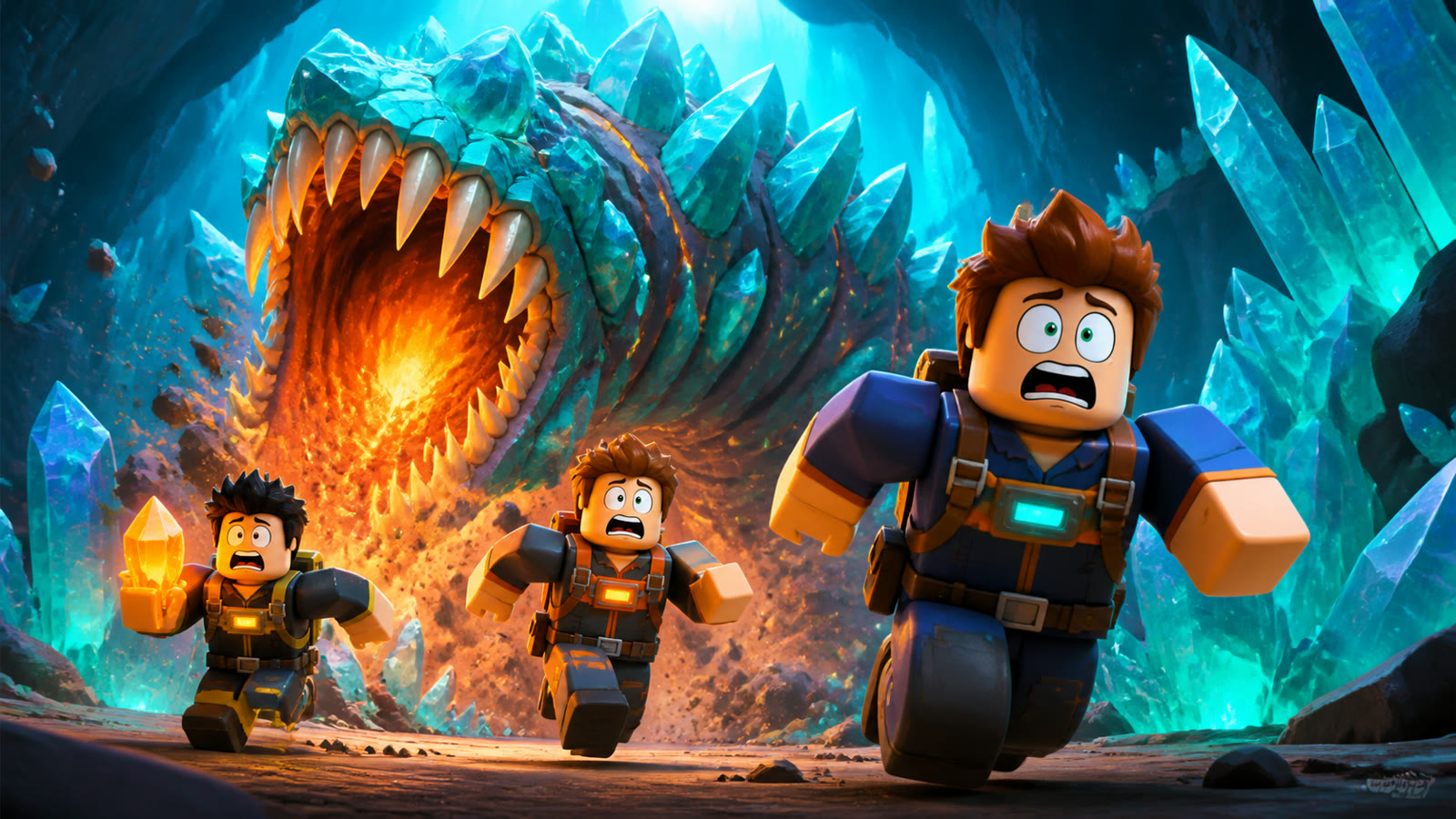
This example was produced from the project’s Roblox thumbnail prompt chain. It uses one action, one threat, and strong orange–cyan contrast.
The best brief defines the subject, action, threat or reward, camera, and mood. For example:
Three blocky space miners sprinting toward the camera while a giant crystal worm erupts behind them, bright cyan cave, readable silhouettes, orange and teal contrast, dramatic lighting, no text.
That prompt gives the model a scene to stage. “Make a cool mining thumbnail” leaves the story unresolved.
The follow-up workflow is the practical advantage. You can keep a strong composition while asking for a larger monster, a cleaner background, or a clearer expression. Change one issue per revision so you can tell whether the instruction helped. That discipline makes revisions easier to compare, approve, and transfer.
Human review is still essential. Check whether the image represents real gameplay, whether characters drifted from their references, and whether the focal action survives at actual thumbnail size. AI removes the empty canvas; it does not choose the final promise you make to players.
2. The GUI Tool Creates Direction, Not Code
The Roblox GUI Generator can turn a rough description into a visible shop, inventory, HUD, menu, or dialog concept. That is valuable when a team has not agreed on hierarchy, spacing, or the main action.
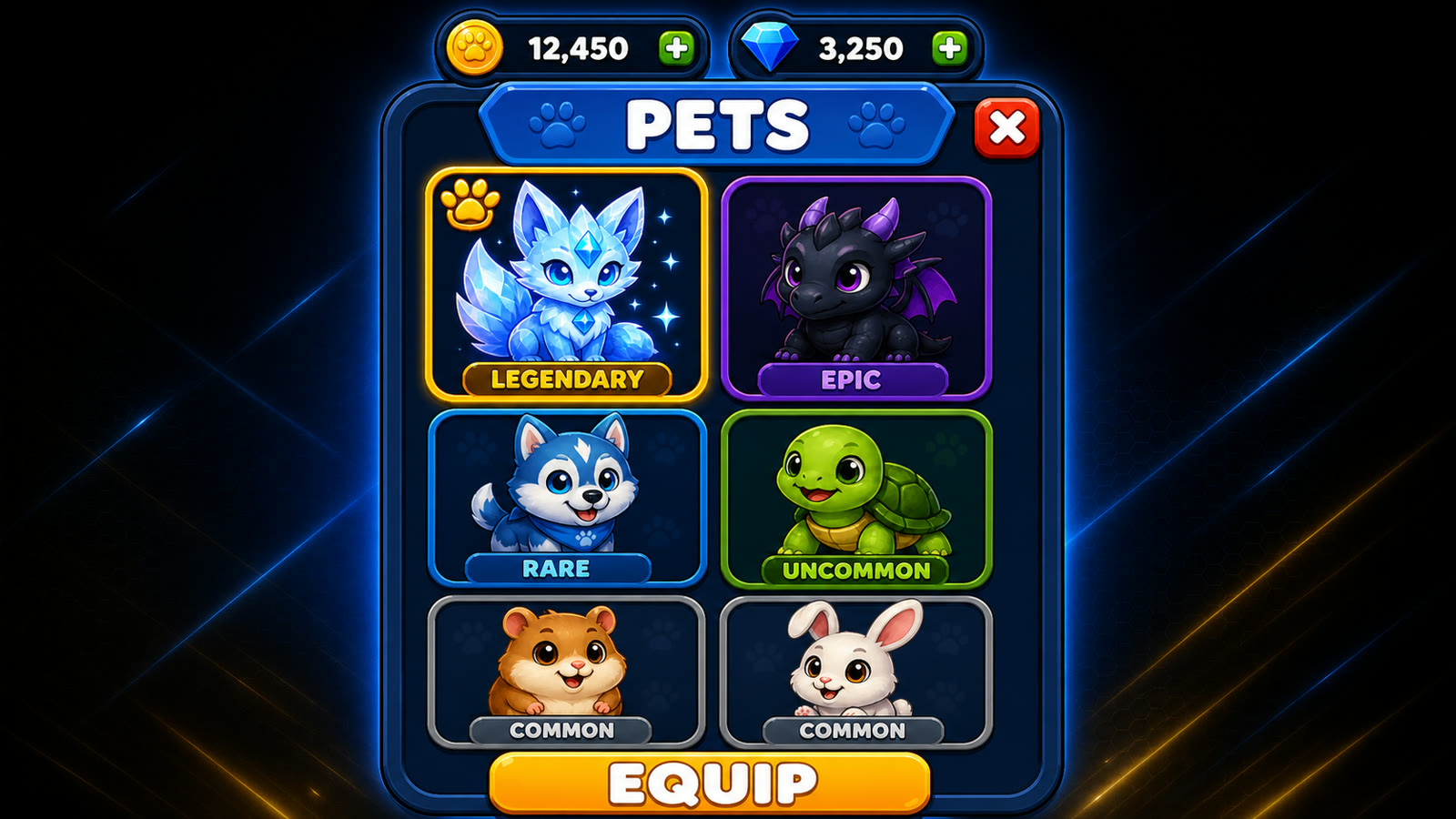
The project’s GUI prompt chain produced the interface; the wide presentation frame was added for the article.
A useful prompt describes the screen’s purpose before its decoration: “Mobile-first pet inventory, six large slots, one selected legendary pet, currency at the top, Equip button at the bottom, rounded panels, blue and gold palette.”
The result helps a designer and developer discuss what matters. It does not export a working ScreenGui, responsive constraints, controller focus, loading states, localization, or Luau behavior. Treat the image as a specification. Record its hierarchy, colors, spacing, panel shapes, and button language, then rebuild those decisions in Roblox Studio.
3. Avatar Editing Makes Character Decisions Visible
Character notes often sound clear until they appear together. Hair, coat, accessories, materials, palette, and silhouette may compete once they share one body.
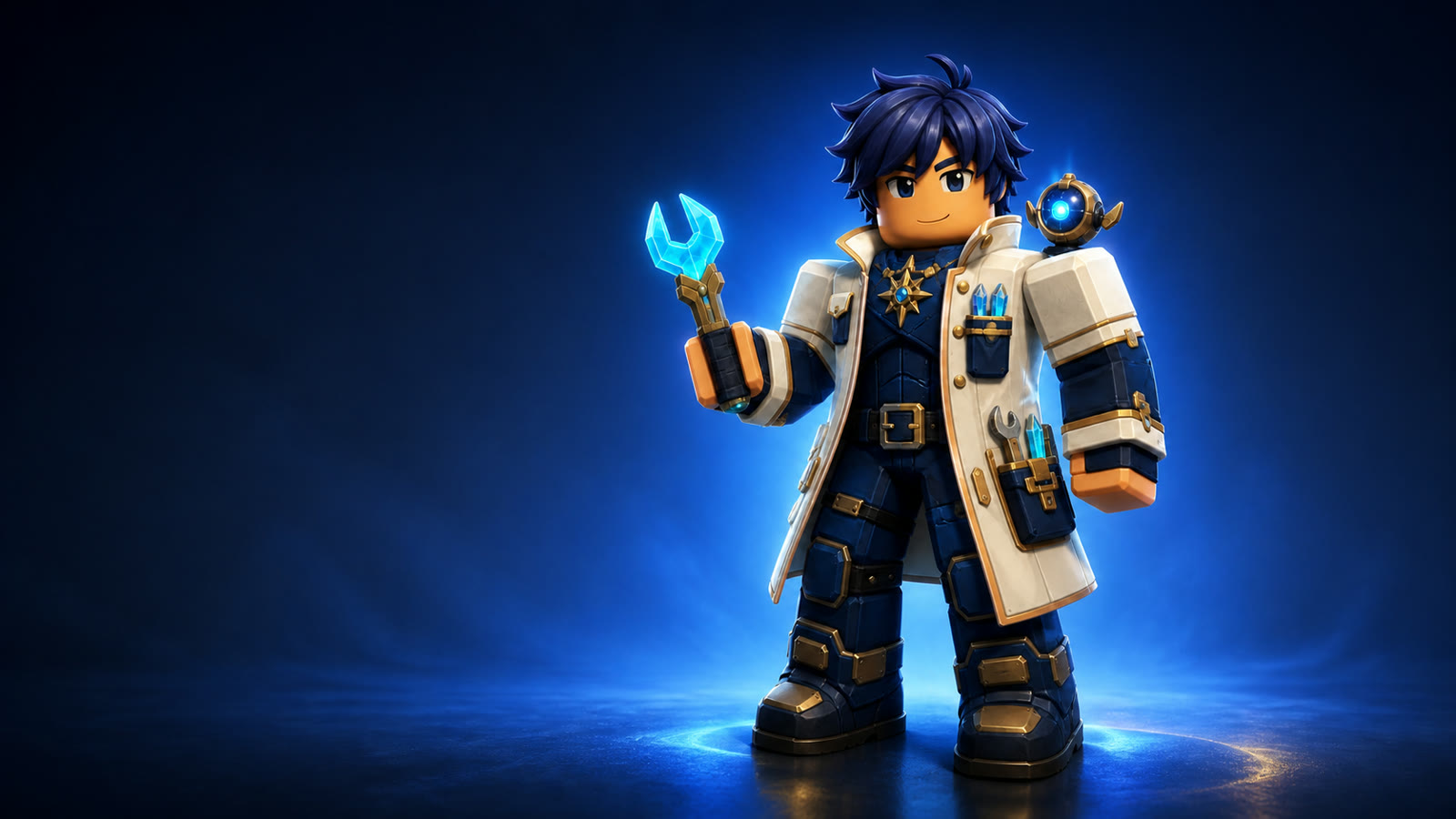
The avatar prompt chain keeps one full-body character visible so clothing layers and signature details are easy to compare.
Forge GUI works well for player-character directions, NPCs, event outfits, enemies, and briefs for a 3D artist. References and narrow follow-ups help preserve a useful identity while changing one element.
The output remains a concept image. It does not edit a live account, assemble catalog items, validate UGC geometry, or create a rigged character. Its job is to turn scattered notes into a direction that another person can understand without a long explanation.
4. The 3D Workflow Is a Useful Starting Point
The Roblox 3D Generator begins by generating a clean, square reference: one subject, complete silhouette, simple background, and limited occlusion. That image then moves into reconstruction, after which the browser can track progress, preview the model, and provide a textured GLB download.
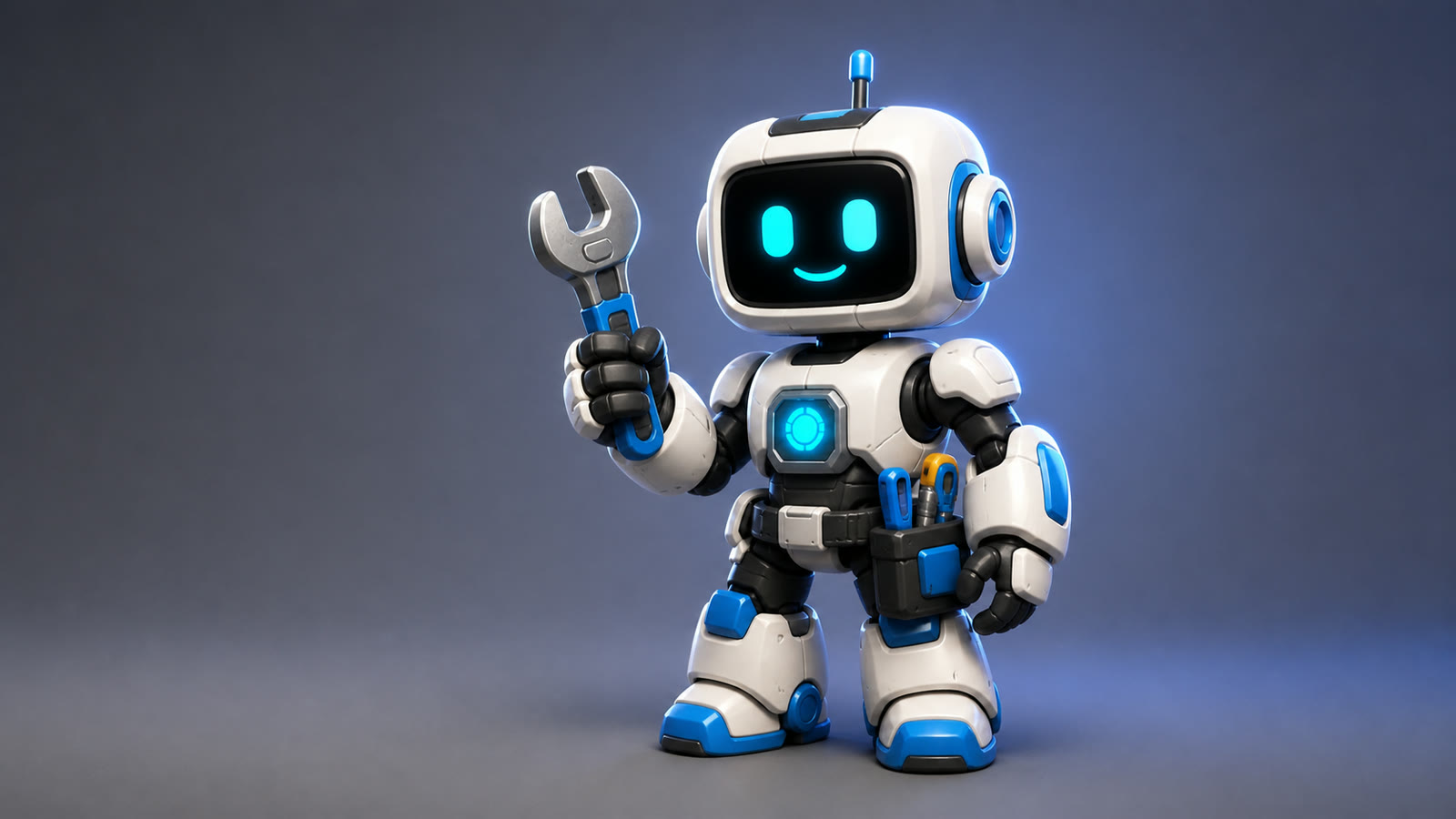
This reference was generated with the project’s dedicated 3D reference builder, which prioritizes one readable subject over a dramatic scene.
Simple props, collectibles, robots, mascots, and stylized machines are sensible starting points. A crowded battle is not: overlapping subjects hide the geometry a reconstruction system needs to infer.
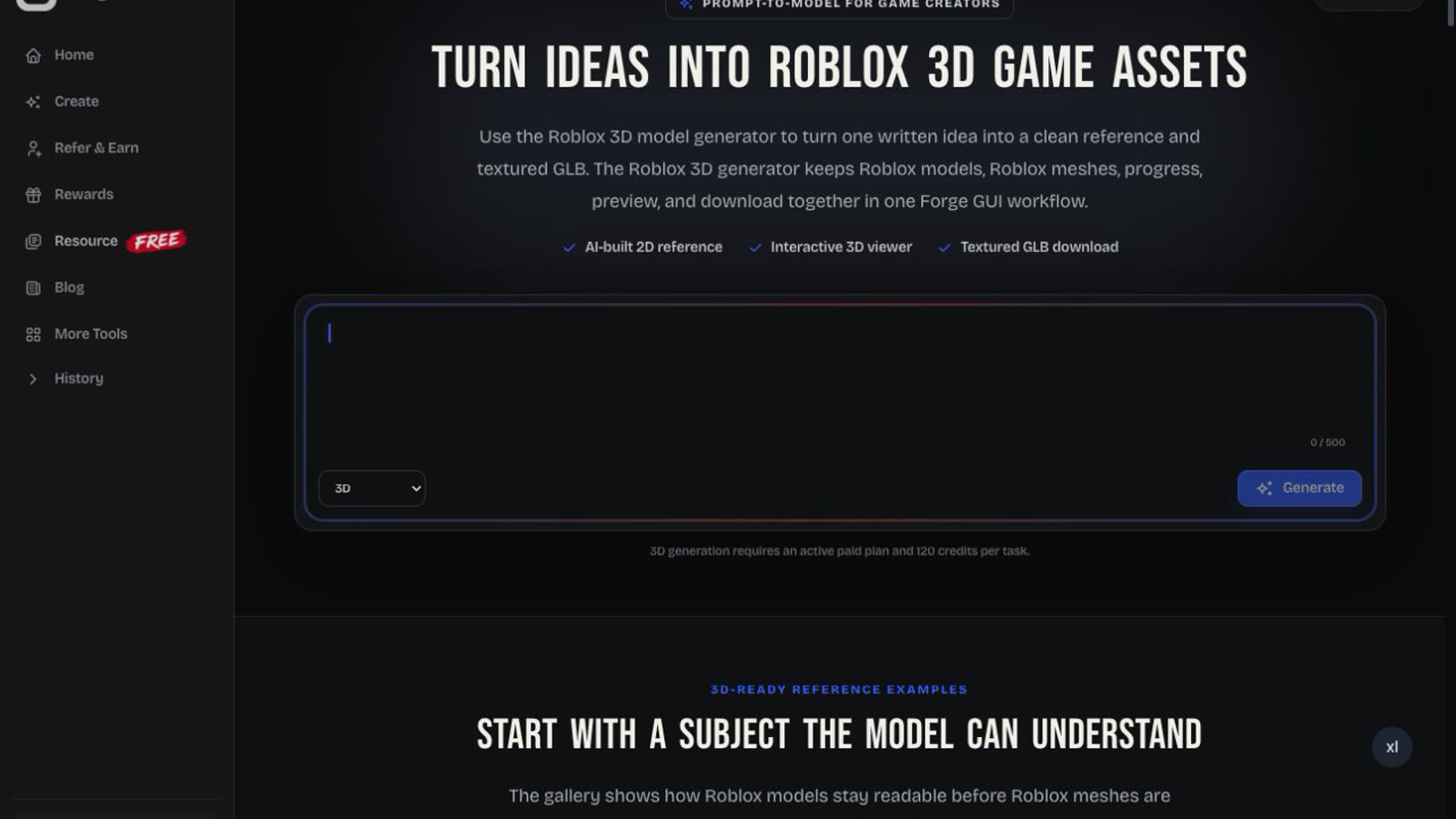
The local product page shows the real handoff: describe one asset, generate its reference, then inspect the reconstructed result.
A textured GLB can still need scale correction, topology cleanup, material work, collision setup, part separation, rigging, or animation. Static background props may require little intervention. Hero characters usually require much more. Forge GUI lowers the cost of the first draft; it does not guarantee a production-ready mesh.
Where Forge GUI Helps—and Where It Stops
Forge GUI is strongest when the next decision is visual. A solo creator can compare two launch-art directions. A designer can show a developer which button should dominate. A small team can reject a weak character silhouette before commissioning finished work.
The platform also keeps related tasks close. References can guide a thumbnail, GUI, or avatar, while continued editing preserves useful choices. Smaller Roblox utilities reduce tab switching when you need catalog inspiration, image IDs, decal IDs, shirt templates, or clothing previews.
The limit is implementation. Generated images may look finished even when they are only plans. Consistency can drift across a large set, GUI states remain unbuilt, and 3D assets may stop before rigging or optimization. Lock decisions in this order: silhouette, composition, palette, materials, then supporting detail. It is cheaper to correct structure before polishing decoration.
Pricing and Credit Math
Forge GUI uses credits. On the annual option reviewed for this article, the public pricing page lists:
| Plan | Annual-equivalent price | Monthly credits | Standard image outputs |
|---|---|---|---|
| Starter | $9.90/month | 1,000 | 100 |
| Pro | $19.90/month | 4,000 | 400 |
| Studio | $49.90/month | 10,000 | 1,000 |
A standard image output uses 10 credits. The separate 3D page states that a task requires an active paid subscription and reserves 120 credits, with the reservation returned after a terminal failure. That makes one 3D attempt equal to the credit cost of 12 standard images.
Do not read “100 generations” as “100 models.” If every credit went to 3D, the listed monthly allowances cover about 8, 33, or 83 complete tasks respectively. Prices, promotions, and availability can change; check the live pricing page and workspace before subscribing.
How It Compares
| Tool | Best role | Pricing snapshot | Main trade-off |
|---|---|---|---|
| Forge GUI | Ten-model thumbnail, GUI, avatar, and early 3D workflow | Annual-equivalent tiers from $9.90/mo | Production implementation still belongs in specialist tools |
| Forge UI | Simple browser route to game thumbnails and GUI concepts | Annual-equivalent tiers from $9.90/mo | Public product copy does not name its underlying models |
| GFX Forge | Visual-first thumbnail, GUI, avatar, and 3D exploration | Annual-equivalent tiers from $9.90/mo | Overlaps Forge GUI but exposes less model detail publicly |
| BloxSmith | Generated Roblox UI, Luau, assets, and Studio plugin delivery | Pay as you go; preset generation listed at $0.50/frame | Narrower than a multi-asset visual workspace |
| Nilo | Browser-based 3D customization, rigging, animation, world building, and export | Free tier; reviewed promotional paid plans from $19.99/mo | Less focused on thumbnails and GUI concepts |
| Roblox Studio | Building, scripting, testing, and publishing the experience | Free editor | Not a fast concept-art or marketing-image tool |
Forge UI and GFX Forge are the two closest products in the broader visual-tool family. Both cover prompt-led thumbnails and GUI directions, with avatar and 3D modes advertised publicly. BloxSmith is the more direct competitor when an interface must become code inside Studio, while Nilo is the stronger specialist after a 3D draft needs optimization, rigging, animation, or world testing.
The useful question is not which tool has the longest feature list. Ask what the next deliverable must be. Use Forge GUI when the idea needs to become visible. Move to a specialist when the asset must become functional, optimized, or animated. Roblox Studio is the final proving ground.
A Practical Workflow
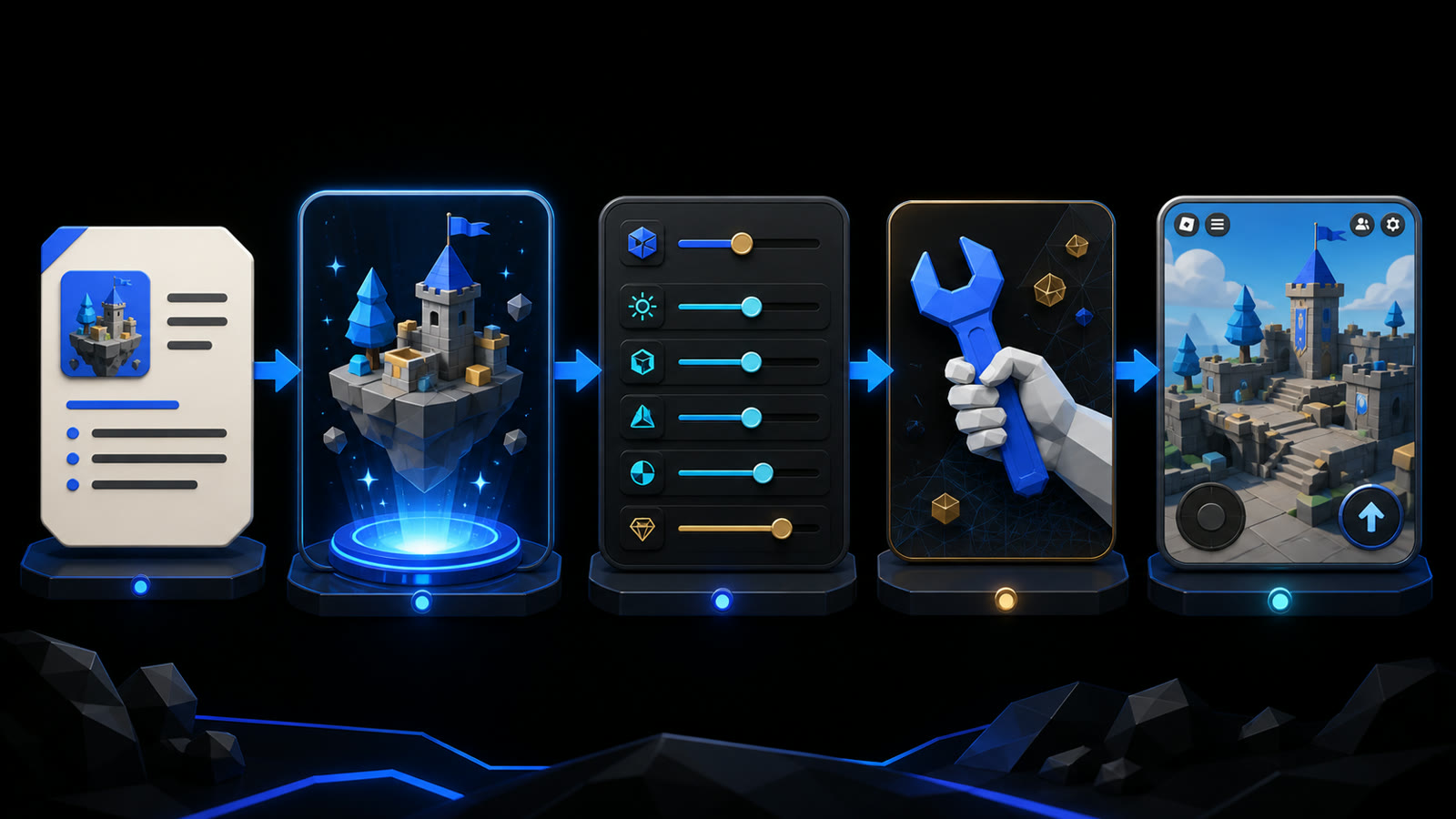
A generated result is most valuable when it prepares the next production decision.
- Write one deliverable. Define one thumbnail, screen, character, or prop. State its purpose, focal point, palette, and platform constraint.
- Judge the large direction first. Check story, silhouette, hierarchy, and mobile readability before small details.
- Revise one problem at a time. Keep what works and make each follow-up easy to compare.
- Record the decisions. Treat GUI and avatar images as specifications. Note colors, materials, proportions, spacing, and signature features.
- Move production to the right tool. Use deeper 3D software for cleanup or animation and Roblox Studio for implementation, testing, and publishing.
- Return for presentation. Once the game changes, build new marketing art from accurate screenshots and references. The thumbnail should sell the game players will actually receive.
Who Should Use It?
Forge GUI fits solo developers, small teams without a full-time artist, creators who publish frequent videos or updates, and developers validating an idea before investing weeks in production.
Look elsewhere when every mesh needs a controlled polygon budget, every character needs dependable rigging, your interface must export as a reusable component system, or hundreds of assets require strict versioned consistency.
Final Verdict
Forge GUI is easiest to recommend as a visual-momentum tool. Thumbnail generation is its clearest strength. GUI and avatar concepts make discussions concrete. The 3D workflow offers an approachable first handoff, with honest limits once topology, rigging, animation, and performance matter.
Use it to move from a vague idea to something your team can judge. Then move the approved direction into the production tool that can finish the job.
Frequently Asked Questions
Does Forge GUI create working Roblox interfaces?
No. It creates visual interface concepts. You still need to build layout, interaction states, input support, responsiveness, and behavior in Roblox Studio.
Does it create rigged or animated characters?
The avatar tool creates a concept image. The current 3D flow returns a textured GLB but does not promise automatic rigging or animation in the same workflow.
Can I use references?
Yes. Explain whether a reference controls identity, palette, layout, clothing, or mood. Upload only material you have permission to use, and review the output for unwanted copying or drift.
Does it replace Blender or Roblox Studio?
No. Blender provides deep control over 3D production. Roblox Studio remains the engine for building, scripting, testing, and publishing the experience.
Can generated work be used commercially?
Paid plans advertise a private commercial-use workflow. Review the latest terms and the rights attached to every uploaded reference before using an output in a client project or commercial release.